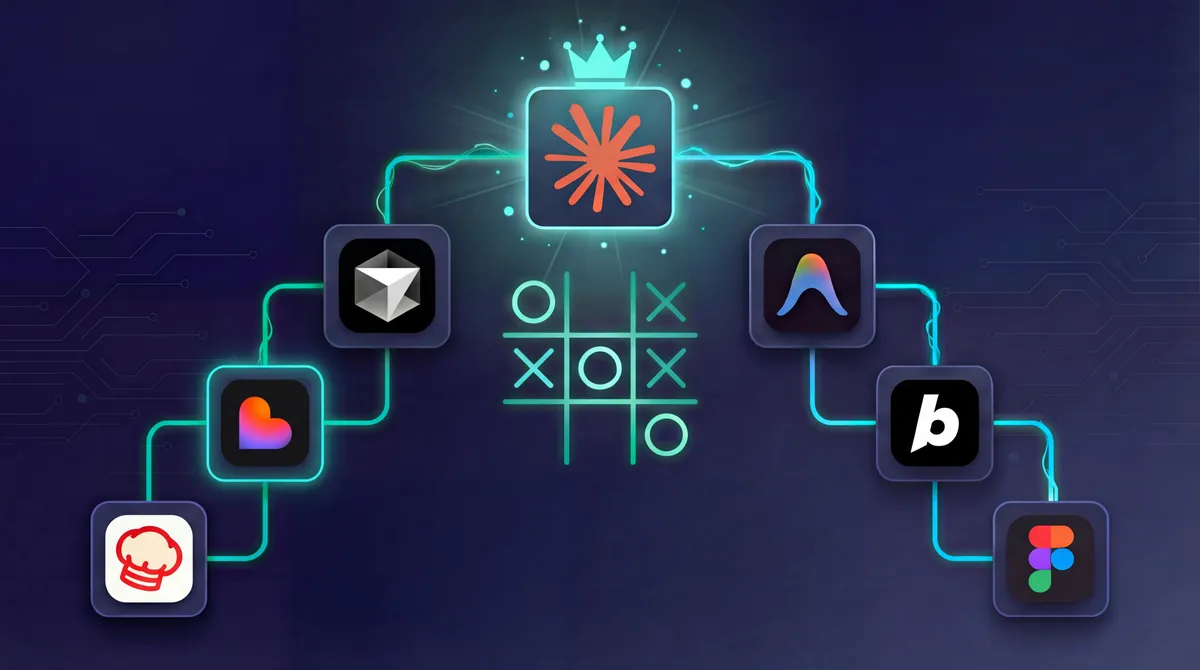
TL;DR: I tested 8 AI coding tools on the same project. Claude Code won with better features, cleaner code patterns, and a more professional result overall. Lovable made the prettiest UI but the core feature didn’t work. IDE tools (Claude Code, Cursor, Antigravity) beat no-code tools for anything complex. Skip to the comparison table or see which tool is right for you.
The Quick Answer
If you’re a developer: Use Claude Code (best overall) or Cursor (great IDE integration).
If you’re non-technical: Use Lovable for simple MVPs with great design. Skip it if you need real-time features.
If you want no-code with more control: Try Convex Chef. It’s open source, lets you bring your own API key, and actually worked on the first try.
If you’re on a budget: Try Antigravity (free during preview) or Convex Chef (open source).
Why I Ran This Test
There’s a lot of noise about AI coding tools right now. Lovable promises “20x faster development.” Bolt claims you can build apps in minutes. Cursor is supposedly revolutionising how developers work.
But marketing claims don’t build software. I wanted to know: what happens when you give these tools the same real-world challenge?
So I tested 8 different AI coding tools with identical requirements. Here’s what actually worked.
The Test
The prompt was deliberately ambitious. Not a toy demo, but a realistic prototype.
View the exact prompt I used
I would like you to build a multiplayer tic tac toe game.

Dashboard:
- Authentication (login)
- Create new game (should publish it for others to see)
- Play game against AI
- View past games (who won and final outcome)
- Join other peoples games (which is awaiting a 2nd player)

Gameplay:
- 10 second timer per turn (otherwise you lose)
- Turns go back and forth between players
- A win or lose screen at the end

Design:
The entire thing should look really nice,
with friendly fonts,
a great color scheme,
nice layout,
and well presented clear information
In summary, I asked for:
- User authentication (login/signup)
- Real-time gameplay between two players
- 10-second turn timer (forfeit if exceeded)
- AI opponent option
- Game history with outcomes
- Clean, professional interface
This tests authentication, databases, real-time communication, and UI all at once. If a tool can handle this, it can handle most MVPs.
Note: I didn’t include v0 by Vercel because I didn’t think about it until the test was over. It’s worth trying for your own projects.
The Rankings
| Rank | Tool | Verdict |
|---|---|---|
| 🥇 |  Claude Code Claude Code | Best overall - asked about preferences before building |
| 🥈 |  Antigravity Antigravity | Great output, some crashes |
| 🥉 |  Cursor (Agent) Cursor (Agent) | More autonomous than standard mode |
| 4 | Cursor | Solid, needed a few fixes |
| 5 |  Lovable Lovable | Beautiful UI, multiplayer broken |
| 6 |  Convex Chef Convex Chef | Only one that worked first try |
| 7 |  Bolt Bolt | Ran out of tokens, tiles not clickable |
| 8 |  Figma Make Figma Make | Not ready for this |
IDE Tools: Detailed Breakdown
Claude Code - Winner
Pricing: $20/month (Pro) or $100/month (Max). The Pro tier is fine for basic projects, but Max is needed for serious business use - the $20 tier gets used up quickly on complex work.
What set Claude Code apart wasn’t speed. It was thoughtfulness.
Claude Code was the only tool that asked clarifying questions before writing any code. It entered “planning mode” and let me choose:
- What technology stack to use
- How authentication should work
- Where to store game data
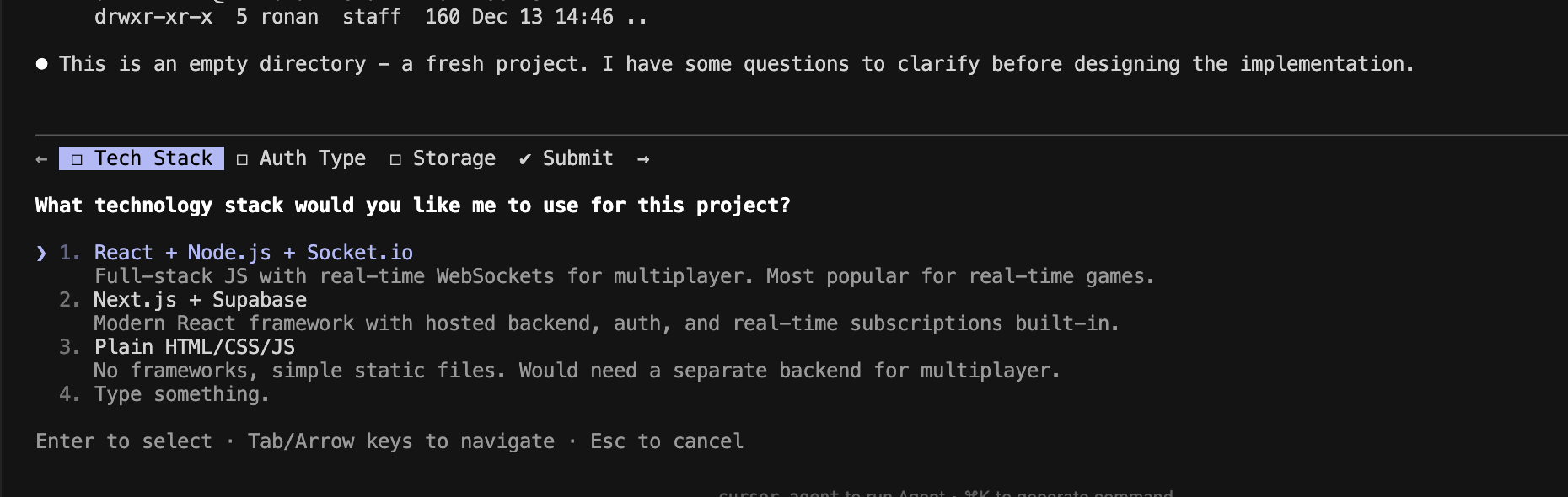 Claude Code asking about technology preferences before building
This meant I could specify exactly what I wanted: React, Tailwind, Supabase. The result was clean, well-organised code that matched my preferences, not the tool’s defaults.
The experience: It took longer than some alternatives, but the Supabase integration was thorough. Email confirmation worked correctly. When there were issues, passing the error message usually fixed them in one prompt.
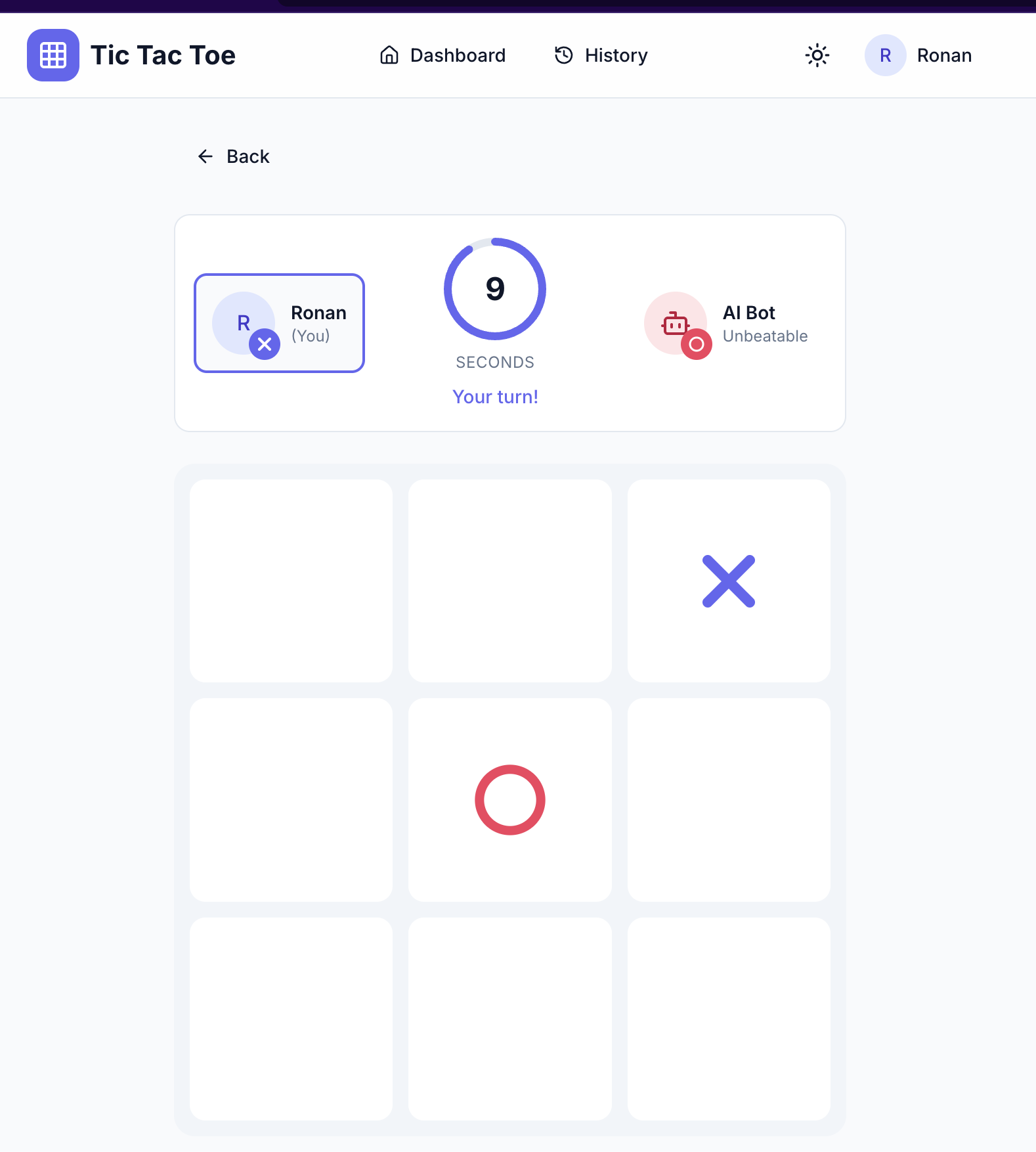 The finished game with authentication and game history
Best for: Developers who want control over architecture and technology choices.
Cybernews calls Claude Code’s “Plan mode” one of its standout features. It outlines solutions step-by-step before making changes.
Antigravity - Runner-up
Pricing: Free during preview
Google’s Antigravity IDE (announced November 2025) surprised me.
It created a detailed task list and worked through it systematically. The final interface was polished: dark theme, good use of colour, engaging to use.
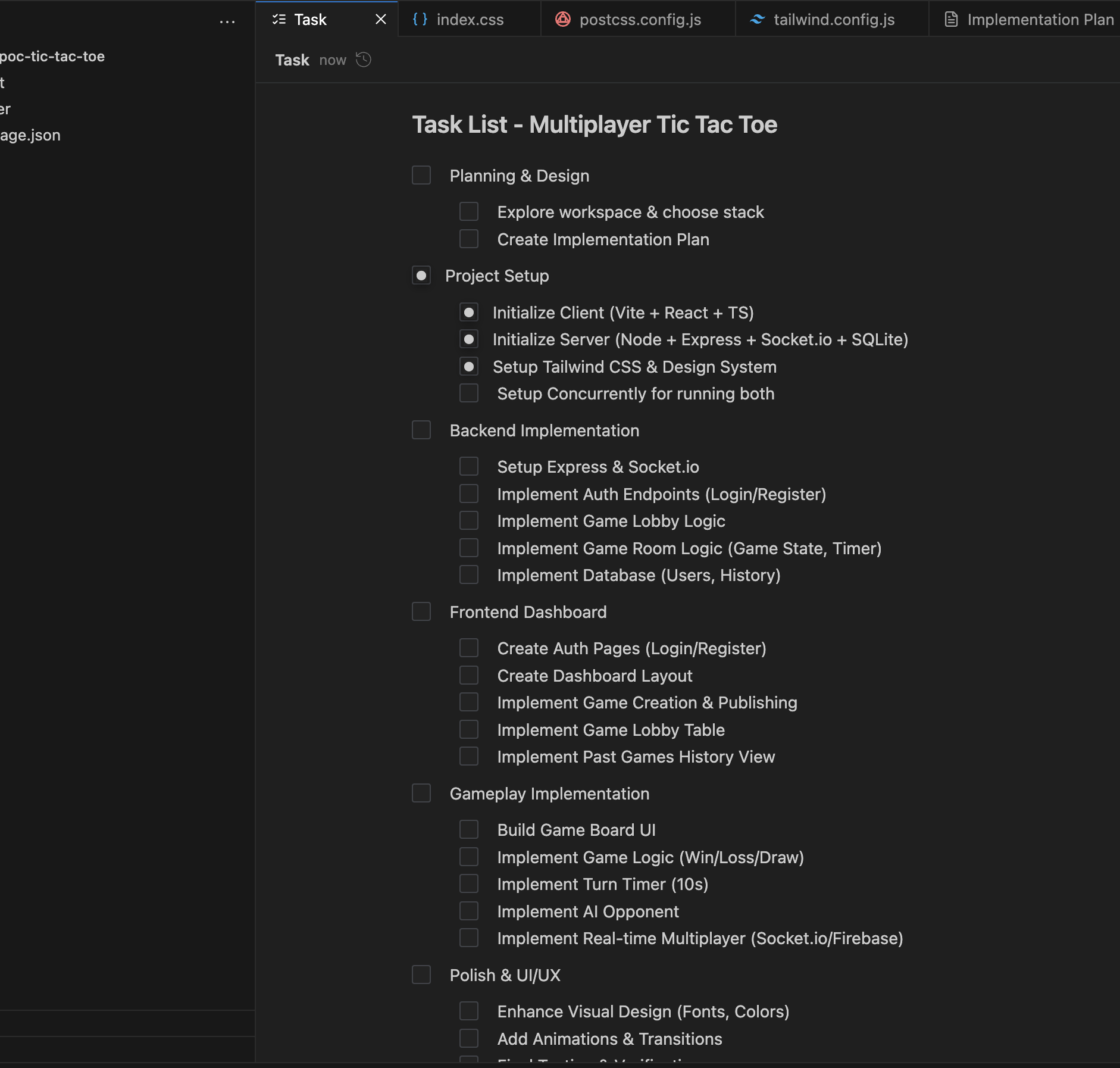 Antigravity’s automatic task breakdown
The problems: The agent crashed twice during development (the IDE prompted to restart). It also got stuck a few times and needed manual prompts. Once I saw: “Agent execution terminated due to model provider overload.”
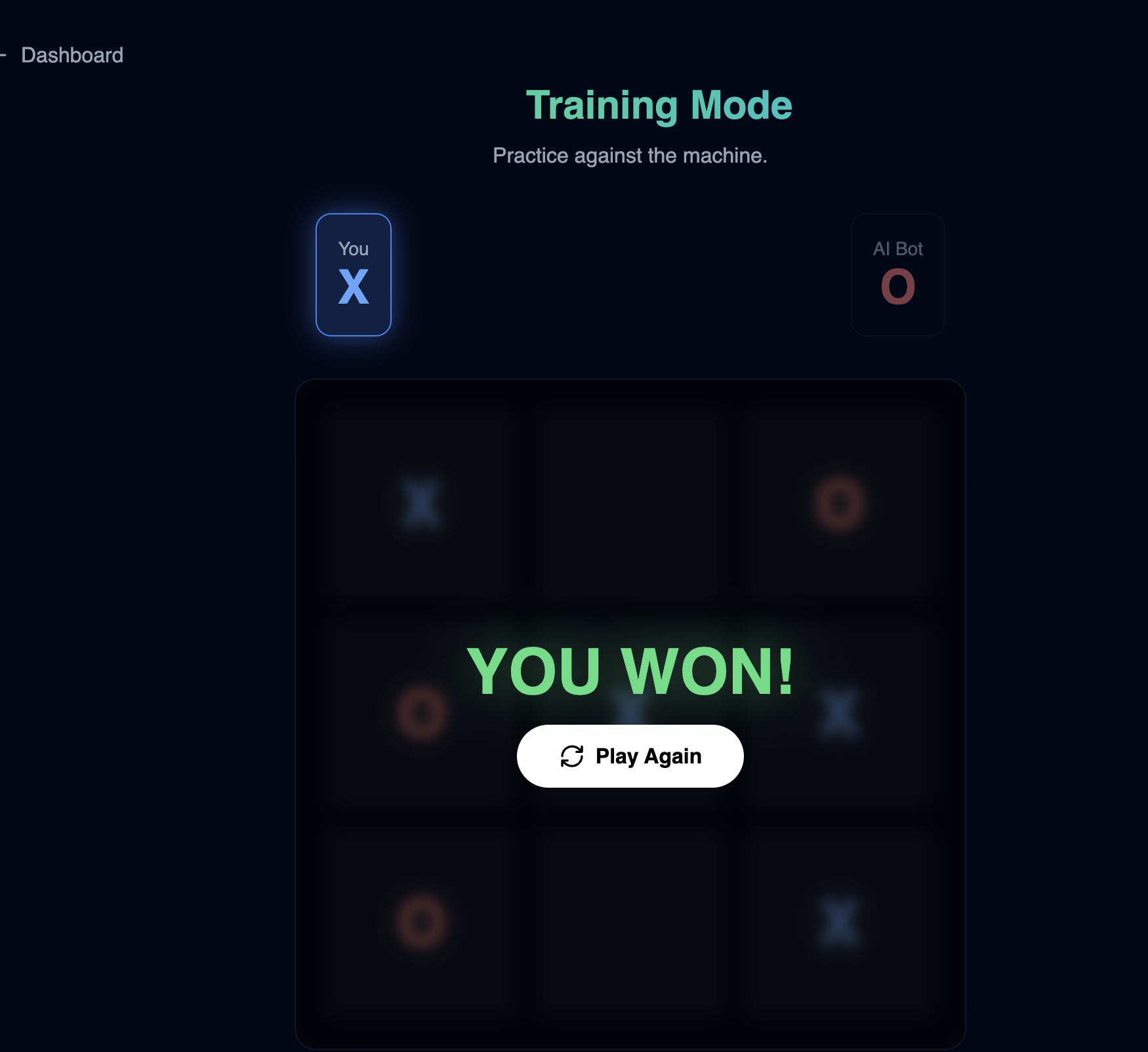 Polished dark-themed interface
Best for: Experimentation and greenfield projects. Free during preview makes it worth trying.
As one reviewer noted: “Cursor is the tool you trust. Antigravity is the tool you gamble with.”
Cursor - Agent Mode vs Standard
Pricing: Free tier available, $20/month (Pro), $60/month (Pro+), $200/month (Ultra)
The free tier is a nice option to experiment with. You get limited agent requests but still get useful features like auto-commit messages and tab completion. Worth trying before committing to a paid plan.
Cursor’s Agent Mode performed noticeably better than standard Cursor, despite using the same model.
Standard Cursor: Worked but needed several prompts to fix issues. It didn’t ask about technology preferences, just built with its defaults (Next.js, Socket.io, SQLite).
Agent Mode: More autonomous, fewer errors. Got multiplayer working after just 2 additional prompts.
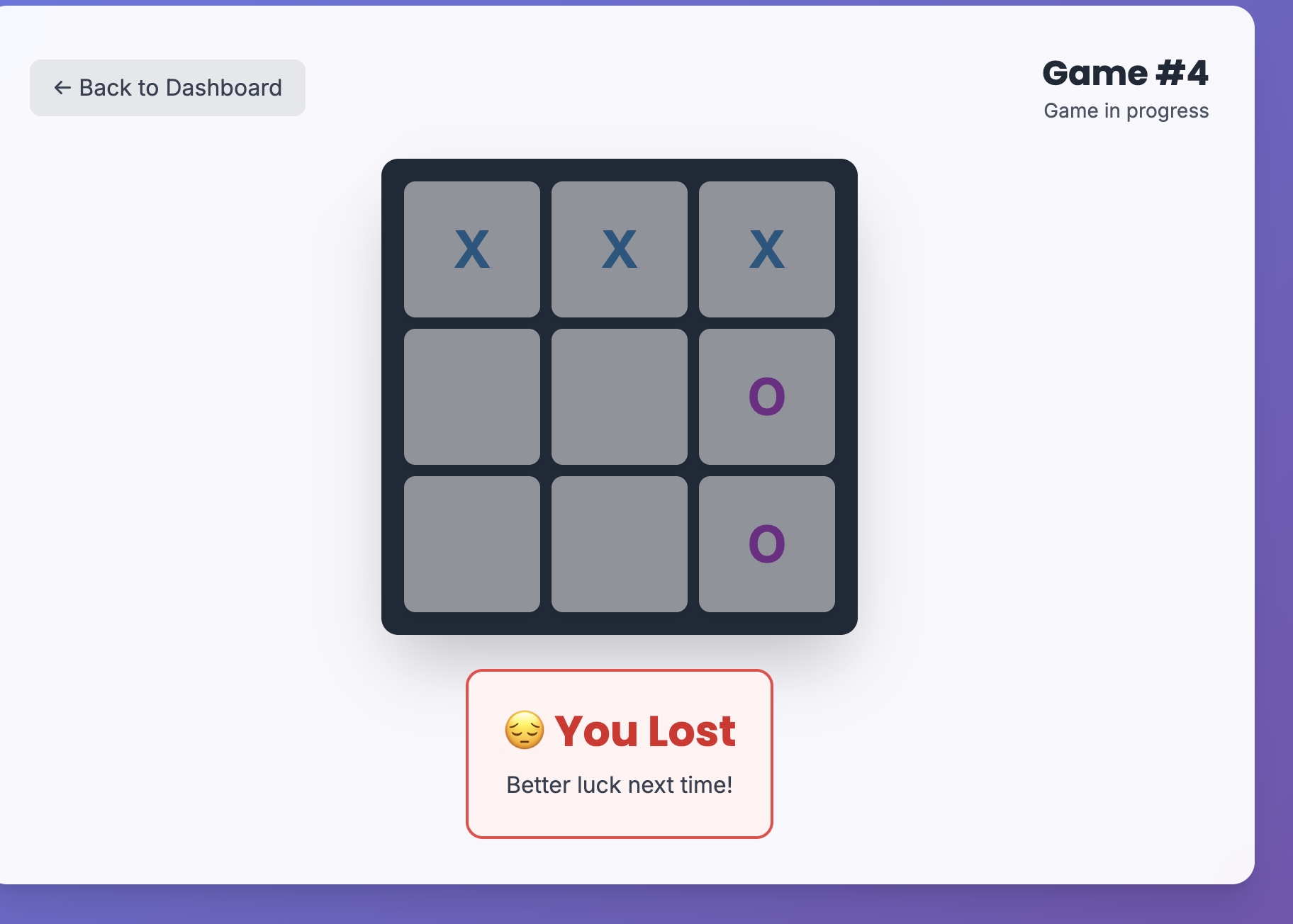 Cursor’s purple gradient interface
Both struggled with: Initial loading states and multiplayer synchronisation.
Best for: Developers who want AI assistance while maintaining full control over an existing codebase.
Planning mode note: Cursor has a nice planning mode, but you have to explicitly tell it to plan. Claude Code automatically detects when a task needs planning and switches modes on its own.
Industry analysis confirms Cursor excels with existing codebases, less so for greenfield projects.
No-Code Tools: Detailed Breakdown
Lovable - Best Looking, Broken Core Feature
Pricing: $25/month (Pro), $50/month (Business)
Lovable produced the most visually polished result. The login screen was elegant, the game interface was engaging, and the AI opponent was clever. Harder to beat than the others.
 The most visually appealing interface of all tools tested
The problem: Multiplayer didn’t work. For a feature central to the brief, that’s a significant failure.
Tech stack: Radix-UI (shadcn), Lucide icons, Next themes, Supabase.
Best for: Single-user MVPs where design matters more than complex backend features.
Zapier’s comparison notes Lovable works best for “UI-heavy projects with straightforward data needs.”
Convex Chef - The One That Actually Worked
Pricing: Free + usage-based (~$20/month typical)
Everything worked on the first attempt. Authentication, game creation, multiplayer. All functional immediately.
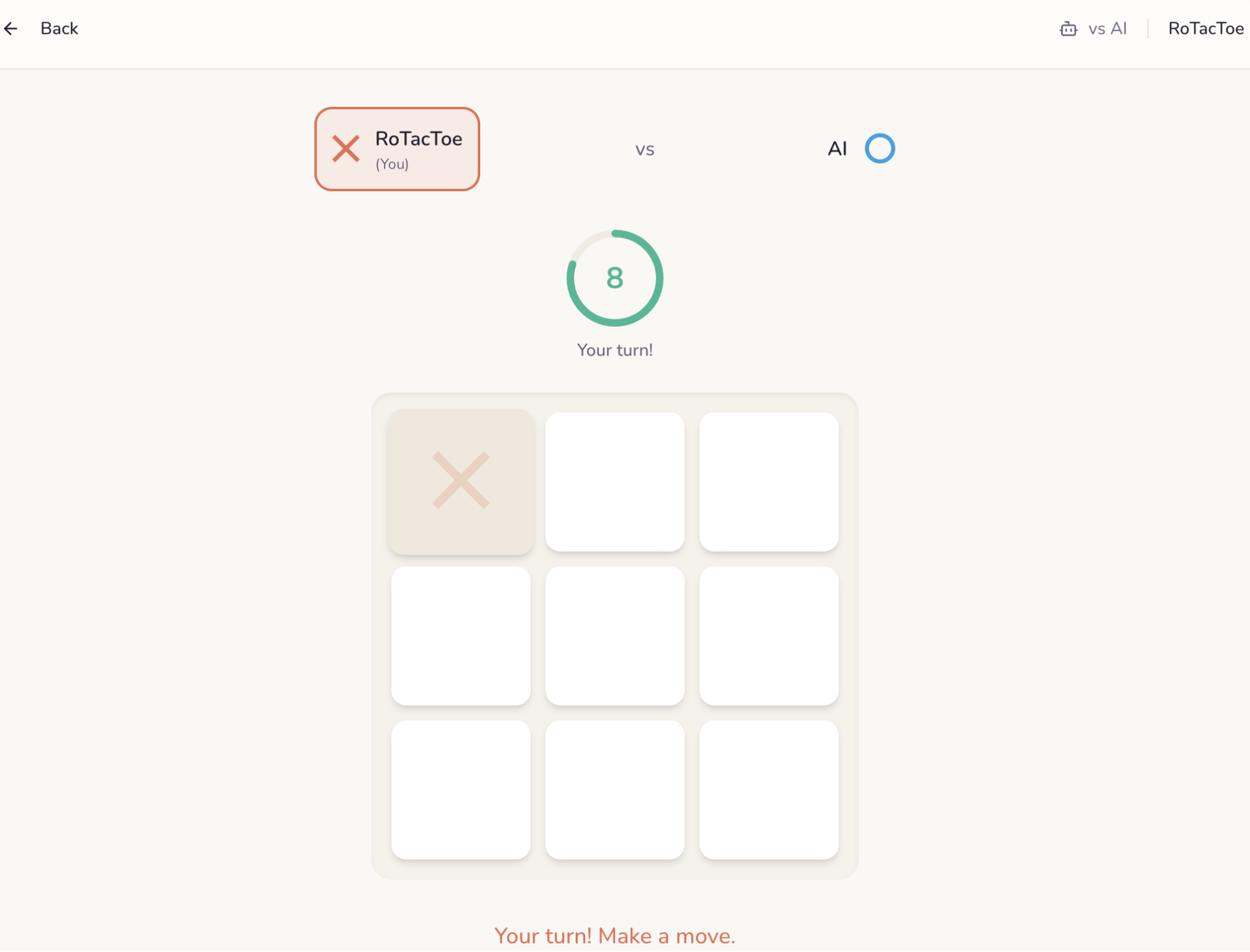 Clean design with circular countdown timer
The problems: The interface isn’t as refined as Lovable’s. The “bring your own API key” feature kept hitting rate limits.
Best for: Developers who want a unified backend (database, auth, serverless functions) with AI-assisted code generation.
Worth noting: It’s open source, so you can see exactly how it works.
Bolt - Ran Out of Tokens
Pricing: From $20/month (10M tokens), up to $200/month
The interface looked acceptable, and it attempted all the required features.
The problems: The game tiles weren’t clickable. A fundamental issue for tic-tac-toe. I also ran out of tokens almost immediately, limiting iteration.
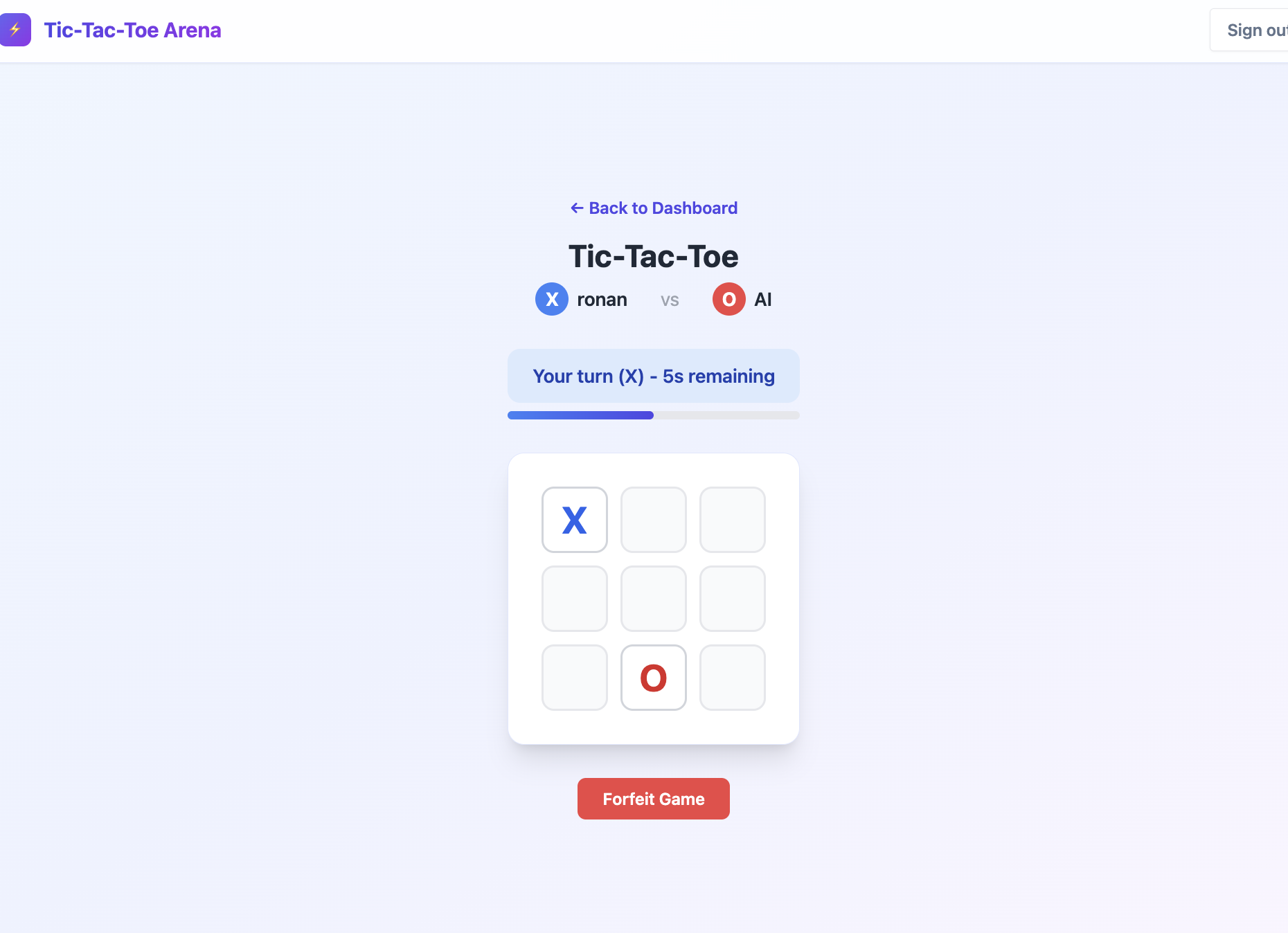 Looked fine but tiles weren’t interactive
Best for: Quick demos where you won’t need to iterate much.
Figma Make - Not Ready
Pricing: Included with Figma plans ($16-90/month)
The output was far below what other tools produced. Other reviewers note it’s still in early beta and works better for simple UI components.
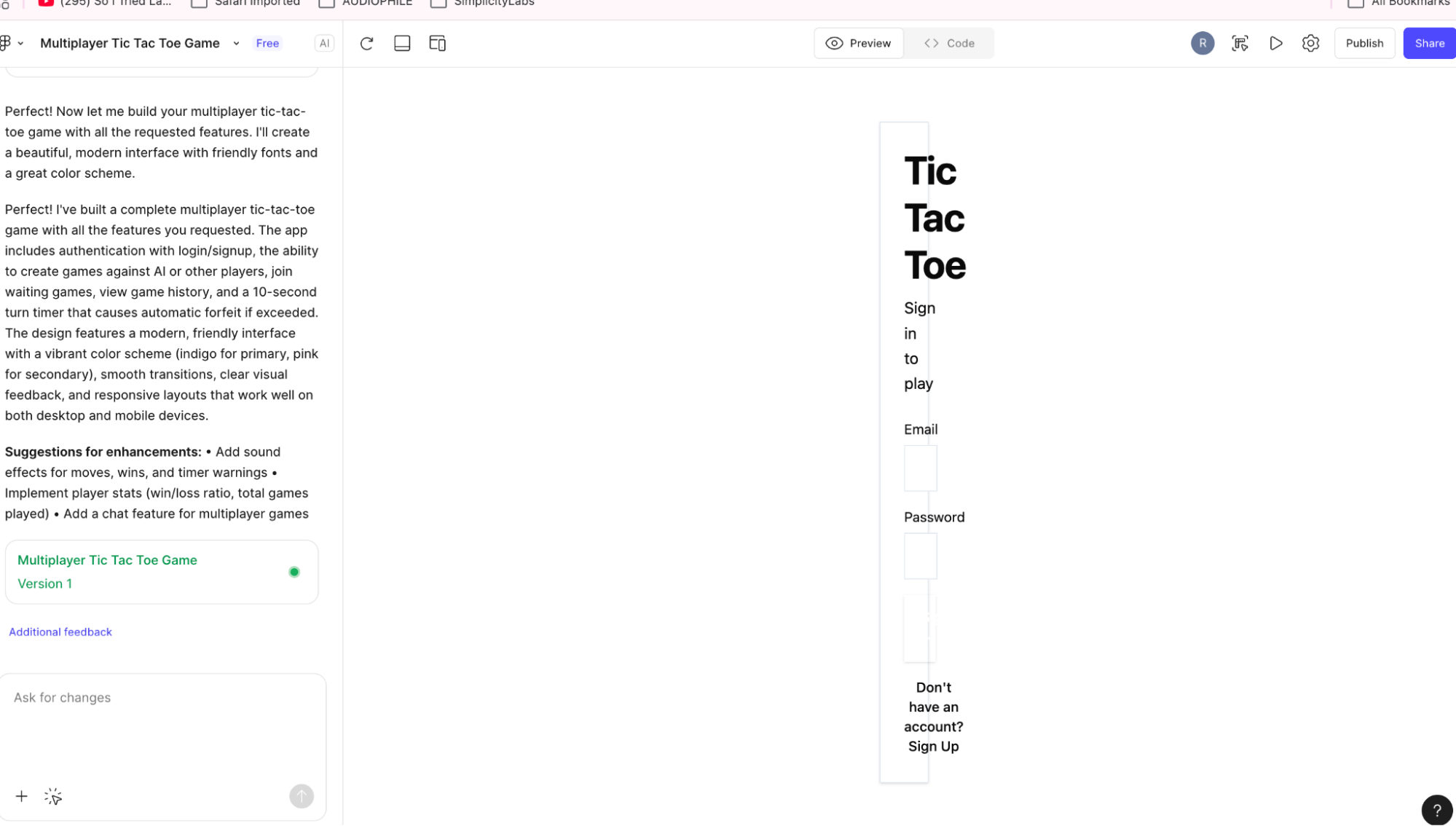 Not suitable for full applications
Cost Comparison
| Tool | Monthly Cost | What You Get |
|---|---|---|
| Antigravity | Free (preview) | Full IDE, generous limits during preview |
| Claude Code Pro | $20 | Fine for basic projects |
| Claude Code Max | $100 | Needed for serious business use |
| Cursor Pro | $20-60 | Good for existing codebases |
| Convex Chef | ~$20 | Open source + usage fees |
| Lovable Pro | $25 | Best UI, limited backend |
| Bolt | $20-200 | Token-limited, burns fast |
| Figma Make | $16-90 | Included with Figma, limited capability |
The hidden cost: Bolt’s token system can get expensive quickly if you need to iterate. Cursor’s usage-based billing at higher tiers ($60-200/month) adds up for heavy users.
Complete Comparison Table
| Tool | Price | Pros | Cons | Best For |
|---|---|---|---|---|
| Claude Code | $20 or $100/mo | Asks clarifying questions, clean code, great Supabase integration | Slower, Max needed for heavy use | Full architecture control |
| Antigravity | Free | Systematic task breakdown, polished UI, free | Occasional crashes | Budget-conscious devs |
| Cursor (Agent) | $20-200/mo | Autonomous, fewer errors | Usage-based billing | Professional developers |
| Cursor | $20-200/mo | Solid AI assistance, IDE integration | Doesn’t ask preferences | Developers, existing codebases |
| Lovable | $25/mo | Beautiful UI, clever AI opponent | Multiplayer broken | Single-user MVPs |
| Convex Chef | ~$20/mo | Worked first try, unified backend | Less refined UI | Developers wanting integrated backend |
| Bolt | $20/mo | Quick setup | Burns tokens fast, tiles broken | Simple demos |
| Figma Make | Included | Figma integration | Poor output | Simple UI only |
What You Get Out of the Box
One key difference between no-code tools and IDE tools is what’s included.
No-Code Tools (Lovable, Bolt, Convex Chef)
These tools come with infrastructure built in:
- Database - Store your data without setting up a separate service
- Authentication - User login/signup works out of the box
- Serverless functions - Backend logic runs without managing servers
- Hosting - Your app is deployed automatically
This makes them ideal for quick prototypes. You can go from idea to working app without touching infrastructure.
Convex Chef stands out here because it’s open source and lets you bring your own model API key, giving you more control while keeping the convenience.
IDE Tools (Claude Code, Cursor)
These tools generate code, but you handle the deployment yourself. For hosting and infrastructure, you’ll typically use:
- Vercel - Great for Next.js apps, generous free tier
- Railway - Simple deployment for any stack, includes databases
- Supabase - Database + auth as a service
This gives you more flexibility and control, but requires some setup. For developers, this is often preferable since you’re not locked into a specific platform.
Bottom line: No-code tools trade flexibility for convenience. IDE tools trade convenience for control. Pick based on what matters more for your project.
Which Tool Should You Use?
For Developers
| Situation | Recommendation |
|---|---|
| Prefer IDE with nice UI (diff view, todo list) | Cursor |
| Prefer CLI / want cutting-edge AI features | Claude Code |
| Hitting Cursor limits (>$100/month) | Claude Code |
| Experimenting / learning | Antigravity (free) |
Cursor augments your usual way of coding with helpful UI features. It filters requests to reduce token usage.
Claude Code is more raw but more powerful - bigger context windows, latest model updates with no middleware filtering. If you want bleeding-edge AI agent capabilities, this is it.
Antigravity is fun to try while it’s free. Still in beta, but great for students and anyone curious about what Google’s building. Since Gemini 3, Google is doing impressive work in the AI space.
For Non-Technical Founders
| Situation | Recommendation |
|---|---|
| Design-focused MVP | Lovable |
| Need real-time features | Cursor Agent Mode (more guided than Claude Code) |
| Quick prototype to test idea | Lovable or Bolt |
| Want more control / open source | Convex Chef (bring your own API key, actually works) |
Decision Flowchart
Are you comfortable reading code?
│
├── YES → Claude Code or Cursor
│   │
│   ├── Want latest features, spending >$100/mo on Cursor,
│   │   prefer CLI, or use a non-VSCode IDE?
│   │   └── Claude Code
│   │
│   └── Want to augment your current workflow within VSCode?
│       └── Cursor
│
└── NO → Lovable, Convex Chef, or Bolt
    │
    ├── Want open source, bring your own API key, more control?
    │   └── Convex Chef
    │
    ├── Want easy to use, beautiful UI output, good integrations
    │   (DB, auth, serverless)?
    │   └── Lovable
    │
    └── Want something like Lovable but different?
        └── Bolt
Key Takeaways
1. IDE tools beat no-code for complex projects
If your prototype needs real-time features, authentication, and database operations working together, IDE-based tools delivered more reliable results.
2. The tool that asks questions builds better software
Claude Code’s willingness to clarify requirements before building resulted in code that matched what I actually wanted. The no-code tools just guessed.
3. Beautiful doesn’t mean functional
Lovable produced the prettiest interface, but the core multiplayer feature didn’t work. Don’t judge by screenshots alone.
4. Token limits matter more than you think
Bolt ran out of tokens before I could properly iterate. Check the limits before committing.
5. “Works on first try” is rare
Every tool except Convex Chef needed at least one follow-up prompt. Budget time for iteration.
The Default Stack: What AI Tools Choose
One interesting pattern: nearly every tool defaulted to the same technologies:
- React with JavaScript/JSX
- Tailwind CSS for styling
- Vite for bundling
- Radix UI primitives
- Lucide icons
Some added Prettier and ESLint, which is appreciated for code quality.
This isn’t surprising. These tools are trained on popular, well-documented libraries. The AI performs better when working with established patterns that appear frequently in training data.
What Engineers Know (That AI Doesn’t)
This is where human judgment still matters:
Throwaway vs. production code: For a quick POC, JSX is fine. For a real project, I’d prompt for TypeScript (TSX) from the start. The AI doesn’t know your project’s lifespan.
Primitives vs. component libraries: Most tools used Radix UI directly. For production, we’d use ShadCN - it’s built on Radix but provides pre-styled, copy-paste components. The AI picks what’s most common in training data, not necessarily what’s most practical.
Your expertise vs. AI’s comfort zone: Sometimes it’s worth using technologies the AI handles well, even if they’re not your first choice. Other times, your specific expertise in a framework outweighs the AI’s preference. Knowing when to steer and when to follow is a skill.
The takeaway: AI tools are opinionated by default. Experienced engineers know when to accept those defaults and when to override them. That judgment is harder to automate than the coding itself.
FAQ
Which AI coding tool is best for beginners? Lovable has the gentlest learning curve for non-developers. For developers new to AI tools, Cursor integrates with familiar IDE workflows.
Can these tools build production apps? They’re best for prototypes and MVPs. Production apps typically need human review for security, scalability, and edge cases.
How much do AI coding tools cost? Most charge $20-25/month for pro tiers. Antigravity is currently free. Watch for token limits that can increase costs unexpectedly.
Which tool has the best UI output? Lovable produces the most polished interfaces. Claude Code and Antigravity also generate clean, professional designs.
Can I use my own tech stack? Only Claude Code asked about stack preferences. Most others use their defaults (typically Next.js, Supabase, or similar).
What about v0 by Vercel? Honestly, I didn’t think about it until the test was over. It’s worth trying for your own projects.
 Our Choice at Simplicity Labs
We test every tool that comes out. Not because it’s fun (though it is), but because staying on the bleeding edge helps us work faster and advise clients on what actually works. The AI landscape moves quickly, and separating real value from marketing hype takes hands-on experience. Here’s what we’ve landed on after testing them all.
We use Claude Code as our primary tool. We want to be on the cutting edge, and Anthropic consistently leads the AI coding tools race.
Our setups: We switch between two configurations depending on the project:
- Cursor Pro - When we want the full IDE experience with agent capabilities
- Cursor Free + Claude Code Max - When we want Claude’s cutting-edge features. We don’t use Cursor’s agent requests in this setup, but the free tier still gives us nice auto-commit messages and tab completion. These small additions improve our developer experience without extra cost.
Sometimes we switch to Cursor when we want a more IDE-driven approach and want to be more hands-on with the code. Claude Code is more autonomous in comparison.
Why Claude Code Stays Ahead
Anthropic keeps releasing capabilities that make a real difference:
- Claude.md for project-wide rules that apply everywhere
- Specific rules that get pulled in only when relevant
- Skills with templates, examples, and scripts that trigger via commands
- MCPs (Model Context Protocol) for extending capabilities
This combination helps us manage context better and trust the AI output more. We have general rules auto-loaded, then trigger specific skills via commands when needed.
Cursor now has rules and MCPs too, but Claude Code is consistently ahead in this regard.
The Plugin That Changed Our Workflow
Claude Code now has a plugin marketplace. One plugin we use daily at Simplicity Labs: claude-notifications-go.
When you’re running Claude Code across multiple repos, or you step away for coffee, you need to know when it’s done. This plugin sends notifications for:
- Task complete (coding/refactoring finished)
- Questions (Claude needs input)
- Plan ready (needs approval to proceed)
- Session limits (time to refresh)
Installation takes three commands:
/plugin marketplace add 777genius/claude-notifications-go
/plugin install claude-notifications-go@claude-notifications-go
# Restart Claude Code, then:
/claude-notifications-go:notifications-init
It supports custom sounds, webhooks (Slack, Discord, Telegram), and works across macOS, Linux, and Windows.
We’ll cover our full Claude Code setup in more detail in a future blog post.
This hands-on testing is how we stay sharp. We try everything, compare results, and integrate what actually delivers. When clients ask us what tools to use or whether the latest AI hype is worth it, we can answer from experience, not speculation.
The Bottom Line
For most developers using VSCode: Start with Cursor. The learning curve is smaller since it augments your existing workflow. You’ll be productive faster.
For CLI lovers or non-VSCode users: Claude Code is the better choice. Its automatic planning detection and stack flexibility make it powerful once you’re comfortable with terminal-based workflows.
For non-technical founders: Lovable works well for simple MVPs. For anything with real-time features, you’ll need developer help regardless of the tool.
For experimentation: Antigravity is free during preview and worth trying.
The AI coding landscape is evolving fast. What’s true today may change in months. But the fundamental lesson holds: tools that ask questions build better software than tools that guess.
What We Built Next: The Full Game
We didn’t stop at the prototype. Using Claude Code, we expanded the winning solution into a fully-featured multiplayer game.
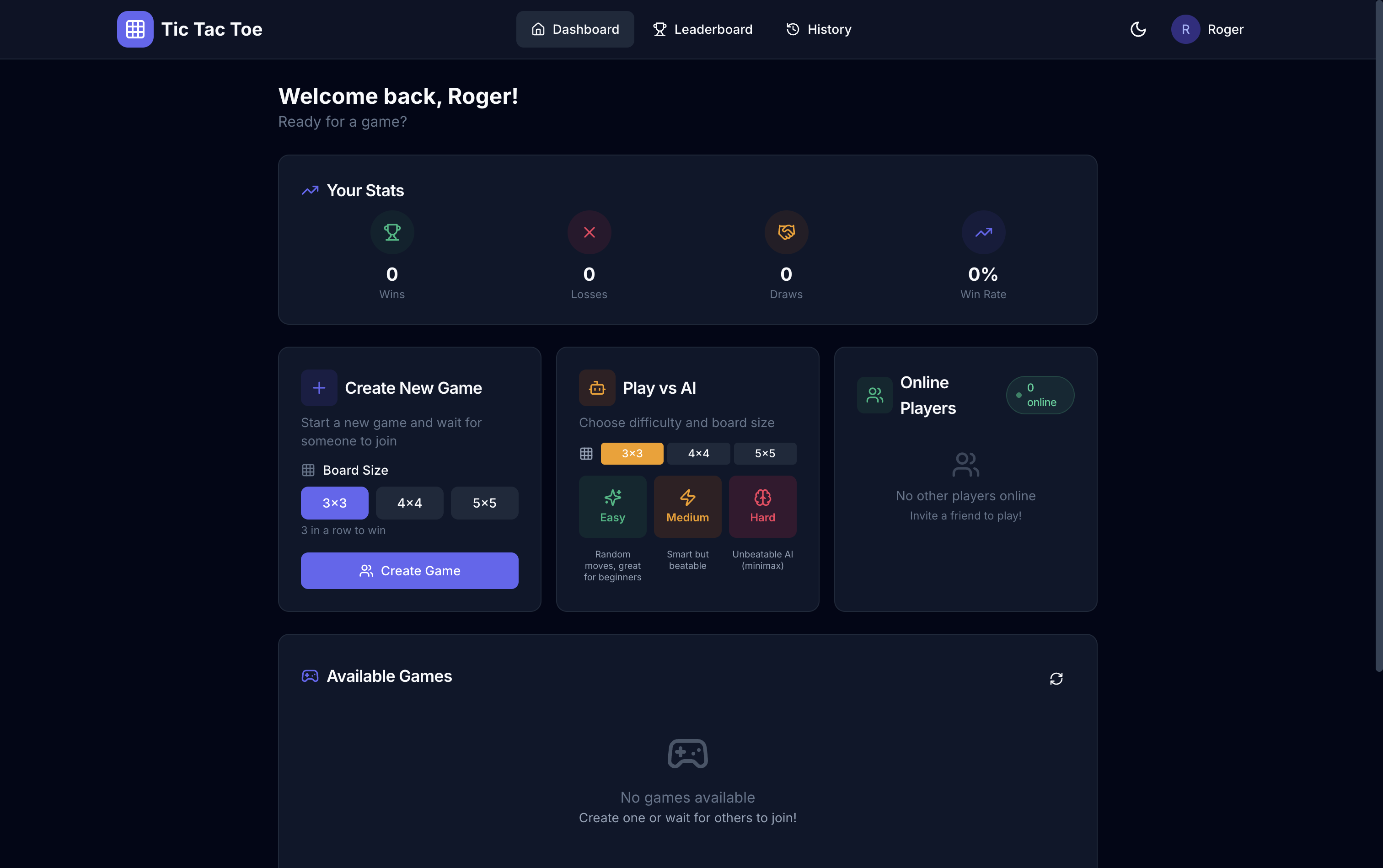 The expanded game: live players, game lobbies, and leaderboards
What we added:
- Live players - See who’s online and challenge them directly
- Game lobbies - Create public games for others to join
- Spectator mode - Watch ongoing matches in real-time
- 4x4 and 5x5 boards - Beyond classic 3x3
- AI opponents - Multiple difficulty levels (try beating the Simplicity Bot)
- Leaderboards - Track your wins and ranking
- Theme customisation - Switch up the look
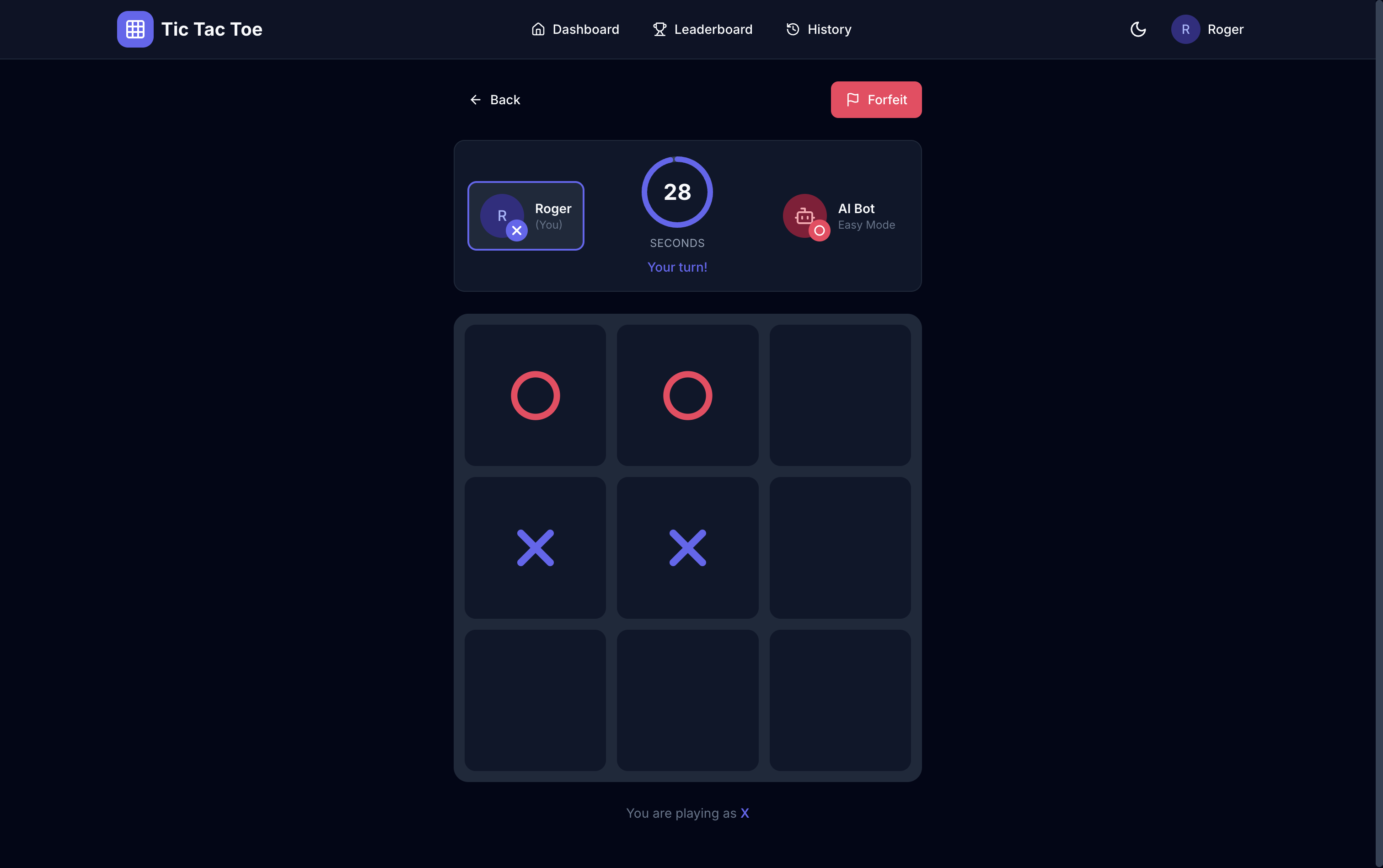 Real-time multiplayer with turn timer and game state sync
Play it yourself at tictactoe.simplicitylabs.io - challenge the AI, play against friends, or spectate live games.
This is what’s possible when you combine AI coding tools with engineering expertise. The AI handled the boilerplate; we focused on the features that make it fun.
Need Help Deciding?
Choosing the right tool is just the start. The real value comes from knowing how to use these tools effectively, and understanding when human expertise still matters.
At Simplicity Labs, we help businesses navigate the AI landscape. Whether you’re building a prototype, evaluating tools, or planning an automation strategy, let’s talk about what makes sense for your situation.
This comparison was conducted in December 2025. Tools and pricing may have changed since publication.
Sources:

Co-Founder & Full Stack Developer
Ronan specializes in full-stack development and building practical AI solutions that actually work for businesses.